CoAssistant
What is this project?
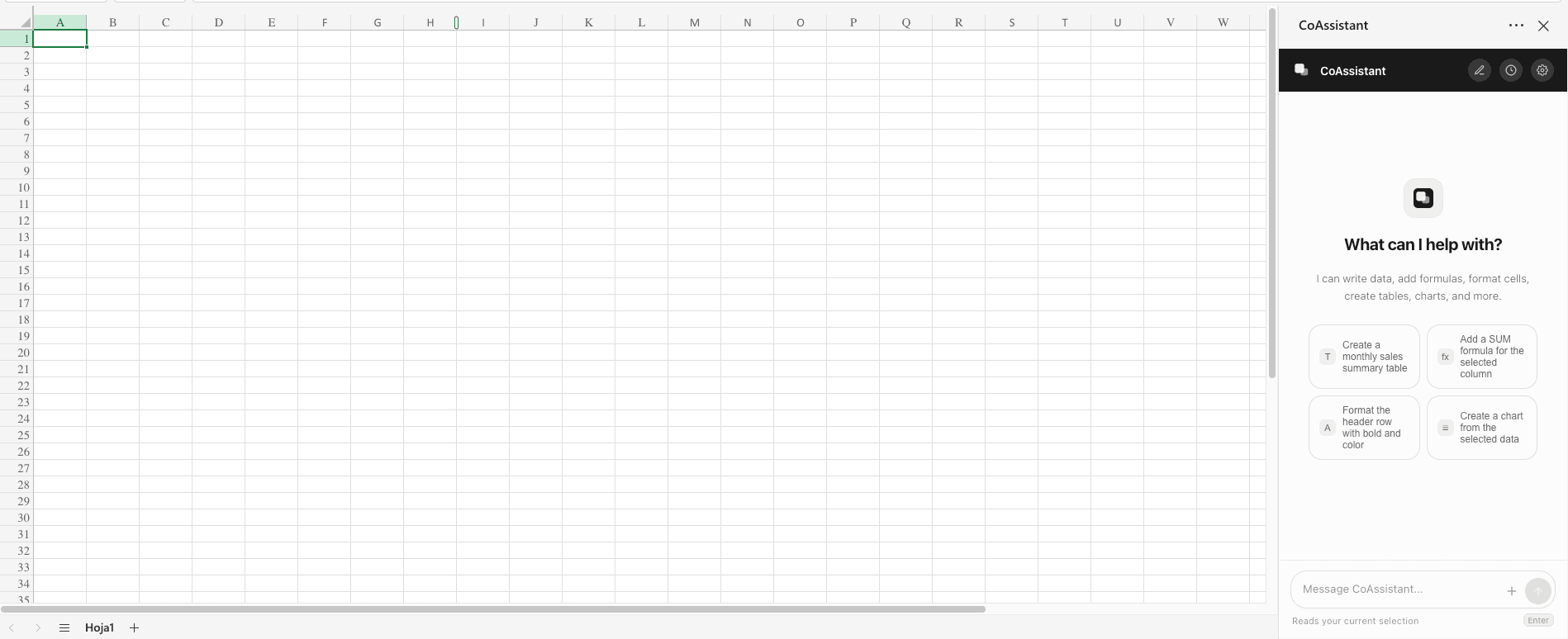
CoAssistant is an AI-powered Excel sidebar add-in that automates spreadsheet tasks through natural language. Instead of navigating menus or memorizing formulas, users describe what they need in plain English and the assistant executes it — charts, tables, conditional formatting, formulas, web data enrichment, document processing, and advanced Python analysis, all from within Excel.
Why did I build it?
Analysts and spreadsheet-dependent teams spend hours on repetitive tasks that shouldn't require manual effort. Writing a VLOOKUP, formatting a report, or enriching a lead list with company data from the web — these are workflows that AI can handle instantly. I wanted to bring AI directly into the tool people already use every day, without forcing them to switch to a separate app.
How does it work?
- Natural Language Commands: Users type prompts in the Excel sidebar ("Create a monthly sales summary table", "Add a SUM formula for the selected column") and the AI interprets and executes them
- Web Data Enrichment: A custom
=COASSISTANT.WEB()function automatically finds LinkedIn profiles, company information, and funding data, populating spreadsheets row-by-row - Document Processing: Upload PDFs, receipt photos, or screenshots and extract clean, structured data directly into cells — no separate OCR tools needed
- Python Code Execution: For advanced analysis — regressions, cohort analysis, visualizations — the assistant writes and runs Python, returning results to the sheet
- Integrations (Coming Soon): Connectors for Gmail, Outlook, SharePoint, Google Drive, Salesforce, HubSpot, Slack, and Jira
Tech Stack
- Frontend: Next.js, React, Tailwind CSS
- AI: Claude Sonnet via OpenRouter for natural language understanding and task execution
- Code Execution: Python runtime for advanced analysis and data processing
- Platform: Excel Add-in (sidebar integration)
What were the biggest challenges?
- Excel Add-in Architecture: Building a seamless sidebar experience that integrates deeply with Excel's cell model, selections, and sheet structure
- Web Enrichment Reliability: Making
=COASSISTANT.WEB()return accurate, structured data from diverse web sources consistently - Document Extraction Accuracy: Handling varied document formats (PDFs, photos, screenshots) and extracting clean tabular data
- Python Sandboxing: Running user-triggered Python code safely while returning results back to Excel cells
How can you use it or build on this?
- Join the waitlist at coassistant.folch.ai to get early access
- Use natural language to automate any repetitive Excel task
- Enrich lead lists and datasets with web data using the custom function
- Extract data from documents directly into your spreadsheets
- Run advanced analysis (regressions, cohorts, visualizations) without leaving Excel
Links
- Website: https://coassistant.folch.ai
What's next?
- Public launch with Starter, Pro ($29/mo), and Team ($79/user/mo) plans
- Gmail, Outlook, SharePoint, and CRM connectors
- Google Sheets support
- Team collaboration features and shared prompts
- Template library for common workflows (financial modeling, lead enrichment, reporting)
In the age of AI, stay curious!